

Comments and Suggestions
Basic Memory Cloud now has a review workflow built directly into the note editor. People and connected AI assistants can comment on a passage or suggest a precise change while keeping the original text available for review.
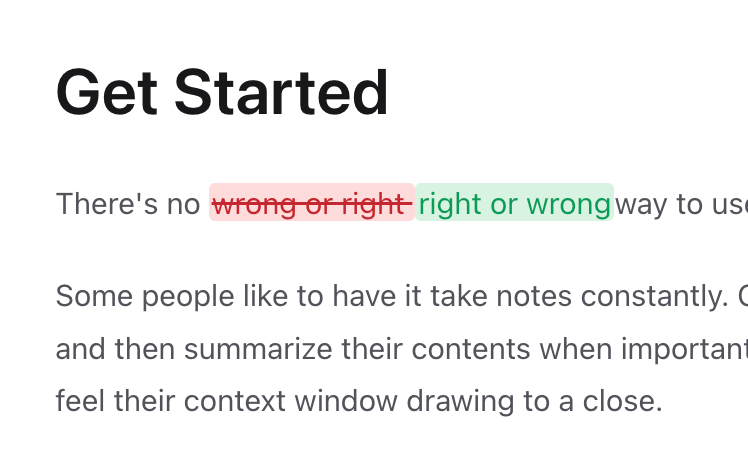
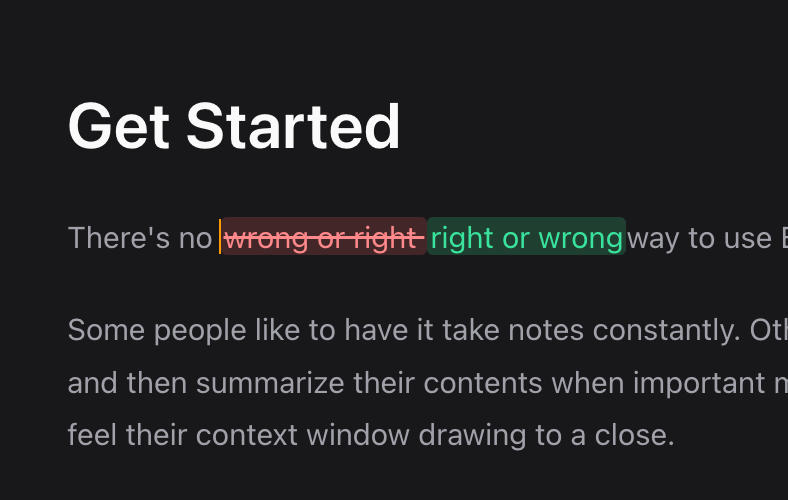
Review without rewriting
Select text in the rich editor to start a review:
- Add comment starts an attributed discussion without changing the passage.
- Suggest insertion proposes new text after the selection.
- Suggest deletion marks the selection for removal.
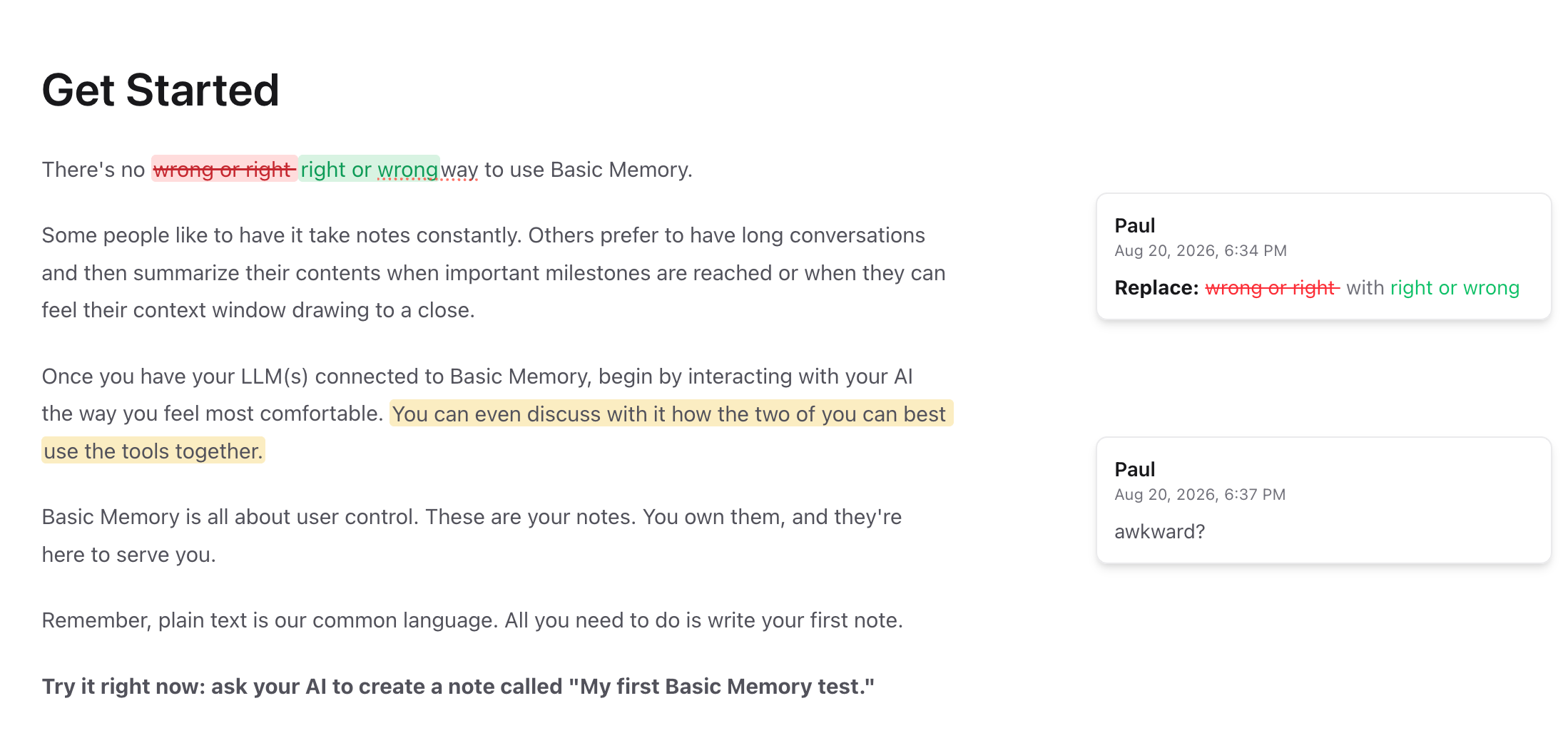
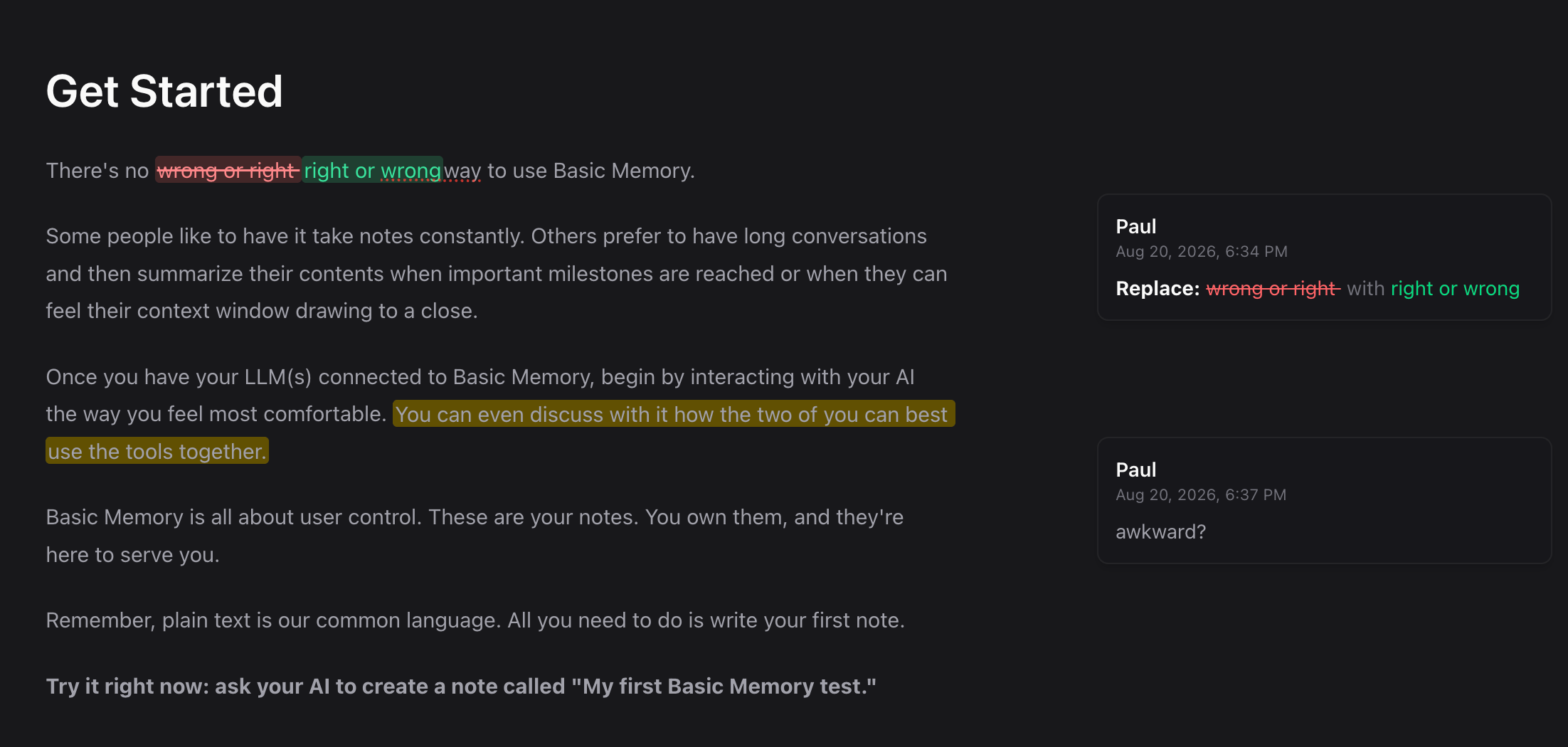
- Suggest replacement keeps the original and proposed wording visible together.
Each suggestion can be accepted or rejected individually. Comments can collect replies and be resolved without changing the note text.
Follow every open item
The note toolbar shows the number of unresolved comments and suggestions. Open it to see the review rail, where each thread stays aligned with its highlighted passage and shows its author, timestamp, replies, and available actions.
Review with an AI assistant
Connected assistants now use the Cloud review_note MCP tool to add comments or insertion, deletion, and replacement suggestions without immediately rewriting the note. The same attributed threads appear in the Cloud editor and Pocketbook (the Interactive MCP App), where people and assistants can reply, resolve comments, and accept or reject suggestions.
Cloud's read_note, edit_note, and search_notes tools are review-aware too: reads return clean prose and structured threads by default, ordinary edits preserve active review work and reject overlapping changes, and search hides CriticMarkup while reporting review-attention counts.
Try asking:
Review this note with comments and suggestions. Keep the original prose in place so I can accept each change individually.
The assistant reads the current note first, anchors each item to exact prose, and uses revision checksums before accepting or rejecting a proposal. It should use review_note rather than writing CriticMarkup directly.